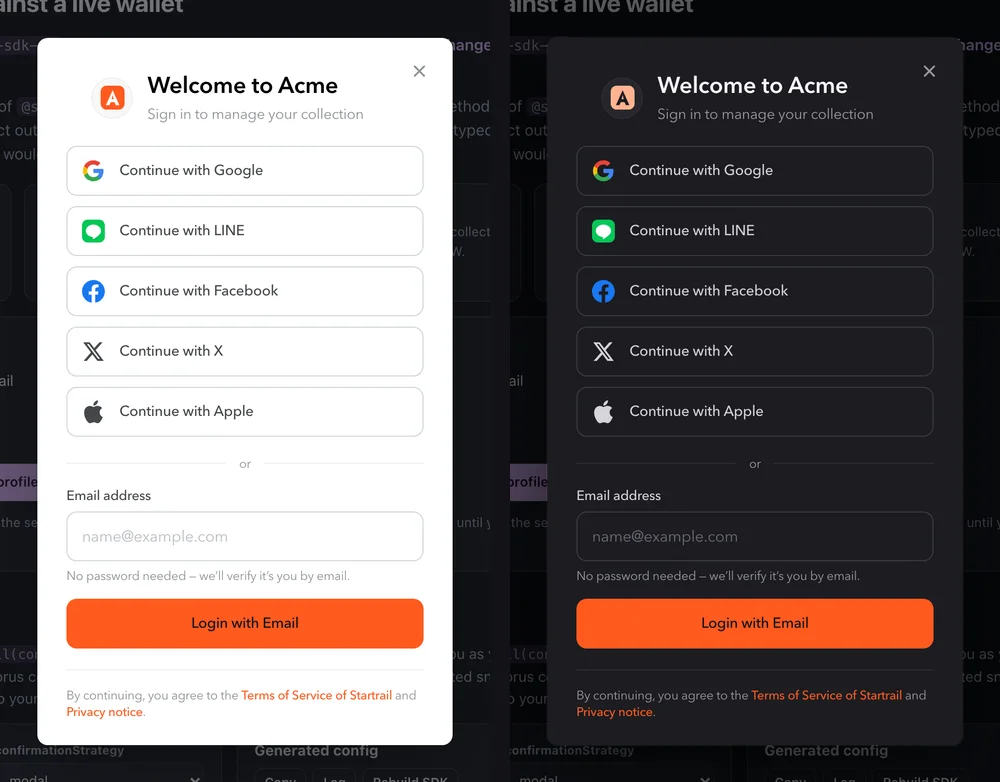
Acme Gallery: accent, inline circular logo, left alignment, custom font and wording — all from customUi.
Acme Gallery: accent, inline circular logo, left alignment, custom font and wording — all from customUi.
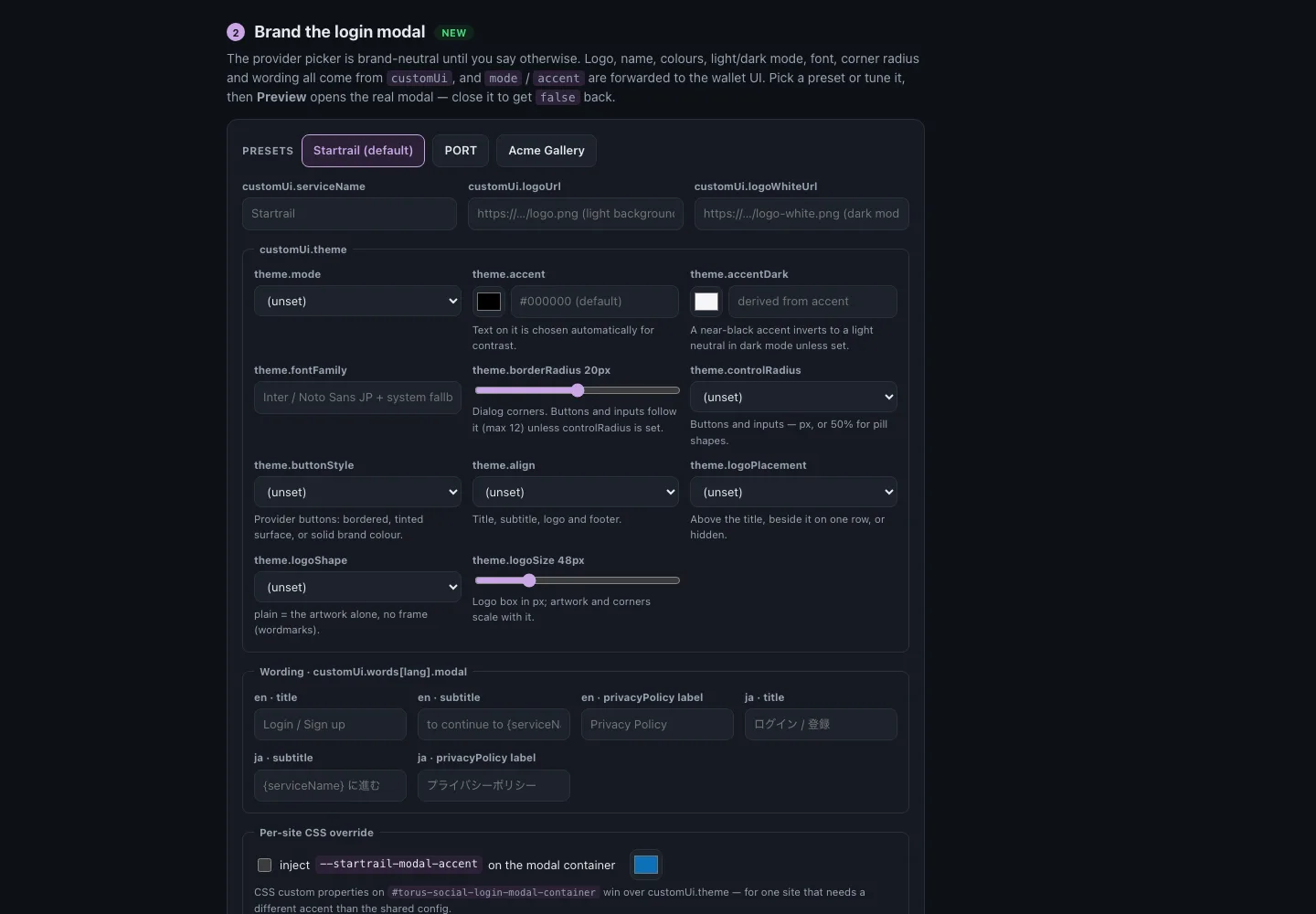
The brand studio at sdk.startrail.io.
.png?alt=media&token=6fc180f8-019b-401a-851c-2e493d0ff147)
| Parameters | Example | Description |
|---|---|---|
| logoUrl | string | App logo to be shown on the light background (light theme) |
| logoWhiteUrl | string | App logo to be shown on the dark background (dark theme) |
| serviceName | string | Applied to all service name in Startrail-sdk-js |
| contactUrl | string | Applied to the contact email in signup Email |
| verificationEmailTitle | string | Applied to the title of the verification email when you select email_password |
| theme | Theme | (v2.3.0+) Colours, light/dark mode, font, radii and layout of the login modal. See Theme below. |
| words | | either en or ja can be used. The value of each is defined in CustomWords |
| Parameter | Default | Description |
|---|---|---|
| mode | 'light' | 'dark', or 'auto' to follow the visitor's prefers-color-scheme. |
| accent | near-black | Primary button, links and focus rings (hex recommended). The text colour on it is picked by WCAG luminance — #ffcc00 gets dark text, #4a156c gets white — and hover/pressed tints are derived. |
| accentDark | derived | Accent in dark mode. Defaults to accent; a near-black accent inverts to a light neutral instead of vanishing on the dark card. |
| fontFamily | Inter / Noto Sans JP | CSS font-family stack for the whole modal, with system fallbacks. |
| borderRadius | 20 | Dialog corner radius in px (0–40); buttons and inputs follow it, capped at 12. |
| controlRadius | follows borderRadius | Radius of buttons and inputs in px (0–24), or '50%' for pill-shaped controls. |
| logoPlacement | 'top' | 'top' centres the logo above the title, 'inline' puts it beside the title on one row, 'none' hides it. |
| logoSize | 48 | Size of the logo box in px (24–120); the artwork and corner radius scale with it. |
| logoShape | 'rounded' | 'rounded', 'circle', 'square', or 'plain' for the artwork alone at logoSize height — for wordmarks and wide logos. |
| buttonStyle | 'outline' | Provider buttons: 'outline' (border), 'filled' (tinted surface, no border) or 'accent' (solid brand colour with contrasting text). |
| align | 'center' | Alignment of the title, subtitle, logo and footer links; 'left' reads well with logoPlacement: 'inline'. |
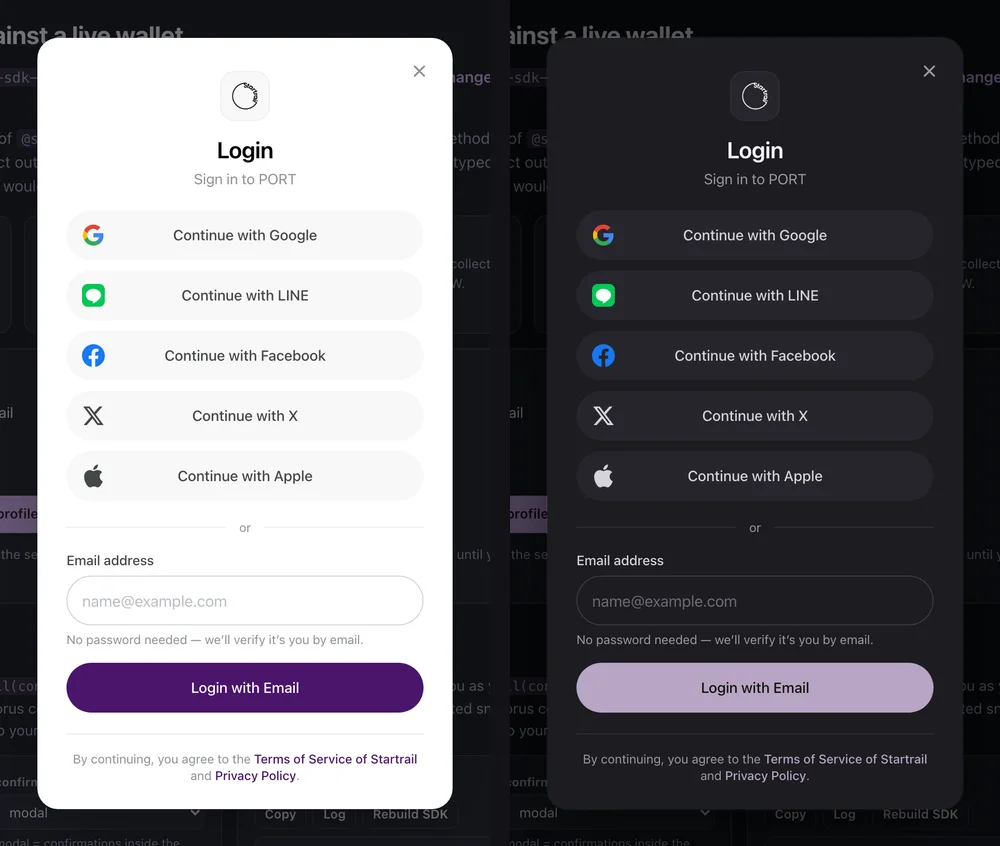
| Parameters | Example | Example |
|---|---|---|
| titleLogin | string | |
| titleSignup | string |
| Parameters | Default | Type |
|---|---|---|
| continueLogin | "Continue with existing {verifier}" (wallet UI) | string |
| title (v2.3.0+) | "Login" / "Sign up" per authAction ("ログイン" / "登録") | string |
| subtitle (v2.3.0+) | "to continue to serviceName" | string |
| termsConditions | "Terms of Service" — label of the footer link | string |
| termsConditionsLinkUrl | Startrail's terms | string |
| privacyPolicy (v2.3.0+) | "Privacy Policy" — label of the footer link | string |
| privacyPolicyLinkUrl | Startrail's privacy policy | string |
| Parameters | Example | Type | Mandatory |
|---|---|---|---|
| title | string | Optional | |
| requestFrom | string | Optional | |
| confirm | string | Optional | |
| cancel | string | Optional |
| Parameters | Example | Type | Mandatory |
|---|---|---|---|
| continue | string | Optional | |
| actionRequired | string | Optional | |
| pendingAction | string | Optional |